
How do I make sure that my design is centered?
Edited
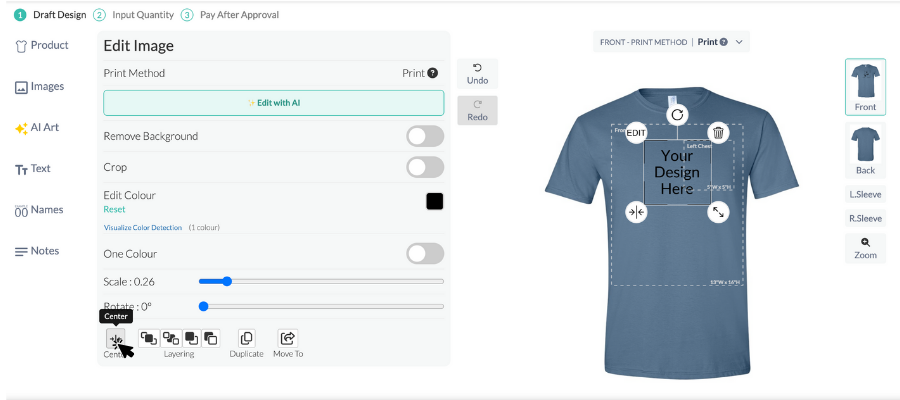
Each product includes a design box that shows the available print area and helps guide proper placement on the garment. The design box also features a centre line guideline to assist with accurate alignment.
To quickly centre your design, you can click the “Center” button located at the bottom left of the design tool. Our system will align your artwork within the standard placement for that product, such as left chest, centre chest, or back.
Every order is carefully reviewed by an expert designer to ensure your artwork is positioned correctly and printed according to your specifications.