Navigating the designer
| Use this button to change your product to a different colour, view the sizing chart, or show the description of the product. |
| Use this button to upload your own artwork file to the designer. |
| Use this button to add text to the designer. After you are finished adding the text, you can change the font, colour, size, and more! |
| Use this button to add personalized names/numbers when you want each clothing item to have a different name and/or number. This option is great for sports teams, grad wear, or family shirts. |
| Use this button to create designs with our AI Designer. |
| Use this button to add specific notes to your design for when you place your order. Examples of notes include: (Pantone [PMS] colours, colour changes, artwork modifications, clarifications, special requests, etc.) |
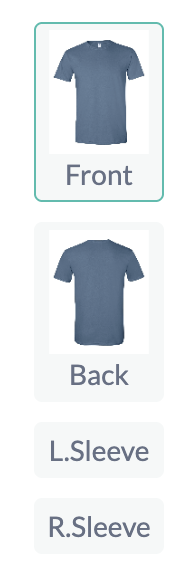
| Located in the upper right corner of the page, the front, back buttons, left sleeve, and right sleeve allows you to place your design on the front or back of the clothing item selected. |
| Located in the lower right corner of the page, this button allows you to save your creation so that you can continue working on it at a later time. |
| Located in the lower right corner of the designer page, this button allows you to see the quoted price of the product that you designed, including customizations. |